
Index |
Next |
Prev |
The LG P690 and Android Gingerbread (review)
The Grand Tour Of Europe
The Language Barrier
Peugeot Open Europe & Our Peugeot 208
Roads
Driving On The Other Side
Propét Stability Walkers (review)
Martin Klooster - Criminal
The LG P690 and Android Gingerbread (review)
4:00pm, Wednesday, February 22, 2012
Current mood: exhausted 
Well it's been a couple of years since I bought my last smart phone: the Nokia 5630, which in many respects served me well, yet in other ways was a pain in the arse. The Nokia 5630 was a small, non-touchscreen device running Symbian 60 v3, but it sported many of the features offered by today's smart phones, such as: Music Player, Bluetooth, Wifi, Picture Gallery, Web Browser, 3MP Camera, Email, USB MSD access and numerous downloadable apps created for the Symbian platform. The screen was small and non-touch, but overall the phone was a bargain at the price. Considering its size and price it was amazing what it could do. Apart from the shortcomings of its hardware the biggest problem with that phone was the Symbian platform, which was simply awful. Symbian apps would crash, system functions would work poorly, support was useless, there were glaring inadequacies left right and centre and it was absolutely NO SURPRISE when Nokia admitted defeat and threw the whole Symbian thing into the garbage bin. Every time the 5630 let me down I would curse Nokia and long for the day when I would buy an Android.

I knew it would be a bad idea to buy an early version of Android, so I waited until it was apparent that the platform was approaching maturity, there was a large user base and a large pool of quality free apps. As was the case with the previous phone I declined to spend a lot of money and restricted my options to models under $200. I ignored options with plans attached, preferring the freedom of a fully unlocked device that I could use as I wished. Sure, I could have bought a Galaxy Note with a 5.3" screen, dual-core 1.4 GHz ARM Cortex-A9 processor, 8MP camera and 2500mAh battery... but it would have cost 3 times the price. For that matter I could have bought an iPhone for 4 times the price... but my mission was to see what I could get for under $200.
After 2 weeks of research and price checking I opted for the LG P690 aka, the Optimus Spirit, the Optimus Net, the Optimus Link and any other damn-fool moniker the idiotic marketing branch of LG could come up with. You can read a full breakdown of the specs here, but the main features are as follows: 3.2" capacitive touchscreen (320 x 480 pixels), 800 MHz ARM 11 processor, Adreno 200 GPU, Android v2.3.3 (Gingerbread), Wi-Fi 802.11 b/g/n, Wi-Fi hotspot functionality, 3G, Bluetooth, GPS, Accelerometer, Proximity sensor, Compass, 1500 mAh battery and 16GB micro SD card. I got all this from Hong Kong for $224AU delivered. Not the flashest unit in the class but A REAL BARGAIN!

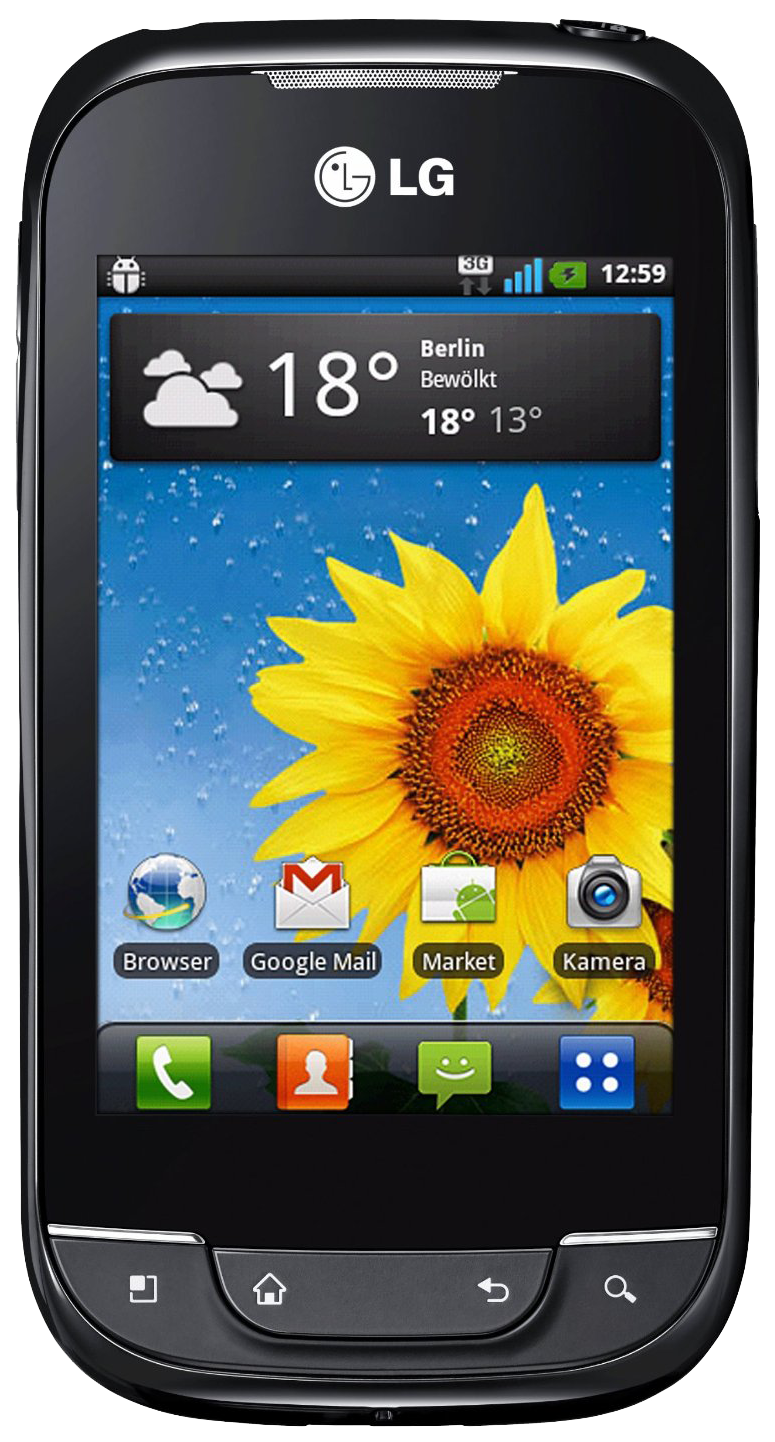
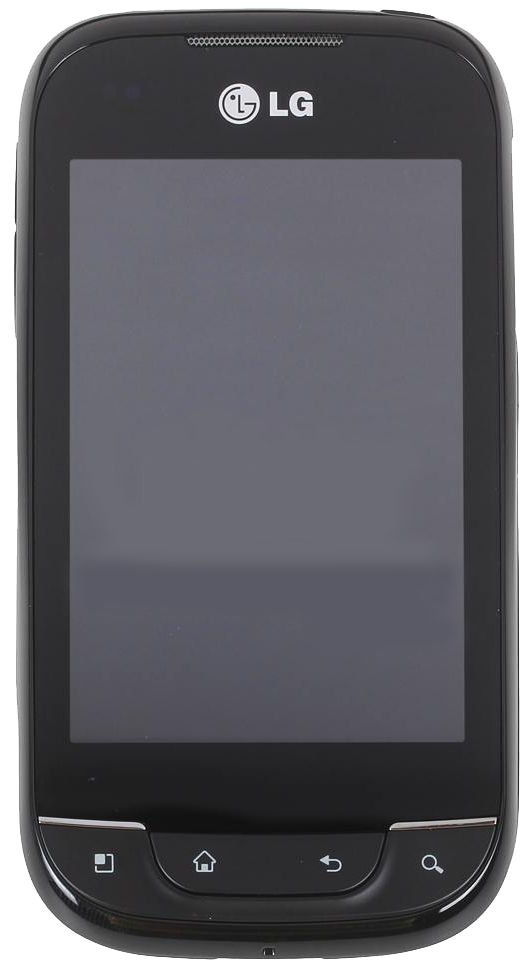
The LG P690.
The body feels a bit cheap and plasticy, but so what? This is in no way affects the functionality, only the price. The phone is well laid out with a minimum of extraneous buttons for you to accidentally hit and throw your usage into confusion. There are the 4 standard outboard buttons under the screen: Menu, Home, Back and Search and the only others are the volume keys at the top left and the power off key at the top. A nicely efficient and restrained layout, where the worst that's likely to happen when you grab the device is that the volume will decrease. I also like the restrained simplicity of the all black case with only a simple LG logo to distract you from the screen and the 4 main buttons.

As always with hand held devices, when it comes to the screen: bigger is better! In this respect the Optimus Spirit is a bit lacking. 3.2" is really a bit smaller than I wanted, but it was the biggest I could get for the price. Apart from that, the colour is accurate and strong (a little too saturated actually), and the screen is twice the size of my last phone! It's a lovely display when viewed inside. Outside in the sun it fades away badly. If you turn the brightness up to maximum you can just about read it, but it's not good. If you need a phone that performs well in bright sun this is NOT your beast. Under overcast skies there's no problem.
The 800 MHz processor with it's added GPU runs Gingerbread just fine. No doubt the 512MB of RAM helps considerably here. Yes, the phone will slow down if you run multiple demanding apps concurrently, but if you keep it to just one or two apps at a time you shouldn't notice much in the way of delays. The touch screen is generally quite responsive and documents and pictures should flip across the screen quite smoothly at the end of your finger.
The camera is the WORST camera I've ever used!!! Truly, really, ABYSMAL! I don't want to hear any excuses along the lines of: "It's only a cheap phone" or "It's only 3MP". The 5630 was cheap and 3MP, yet it's photos were quite usable. The P690's alas, for anything other than low-res viewing are unacceptable! I don't say this lightly. I'm a serious photographer and I've used a lot of devices, scrutinised their output and processed and optimised the results. For this camera however, there is NO HOPE. Even at ISO 100 in full sun and processed with Adobe Lightroom the results are blotchy with poor colour and dynamic range. This stuff is incurable and I consider the camera to be so poor as to be NOT WORTH USING! I would only use it for some rare event that I simply must capture, when there is really no other way. The problem is primarily the heavy handed noise reduction blurring that you cannot turn off. This the worst part of an otherwise excellent convergent device. It's a pity really, because if LG had offered RAW capture as an option I could probably have got some useful results from the tiny sensor.

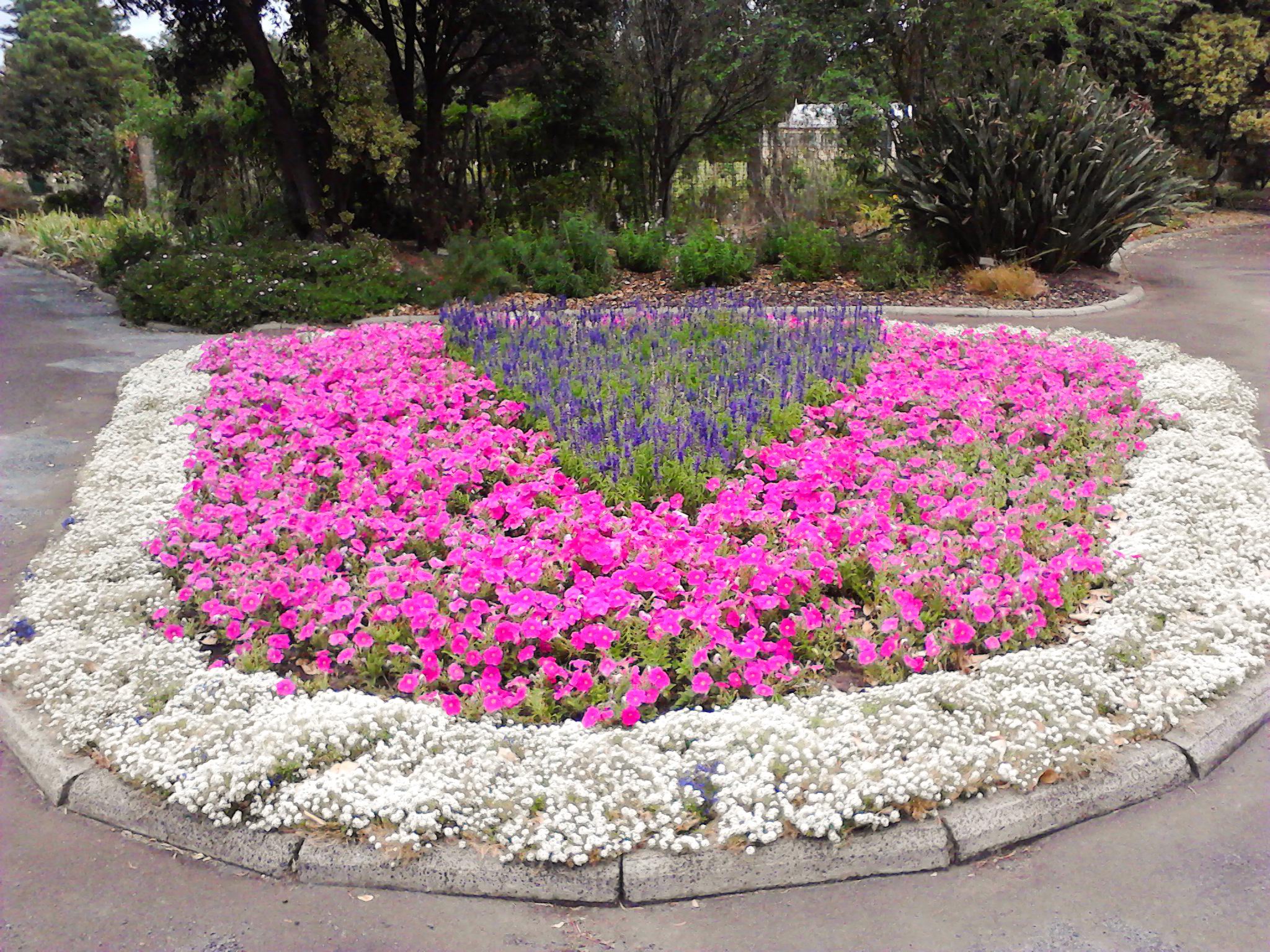
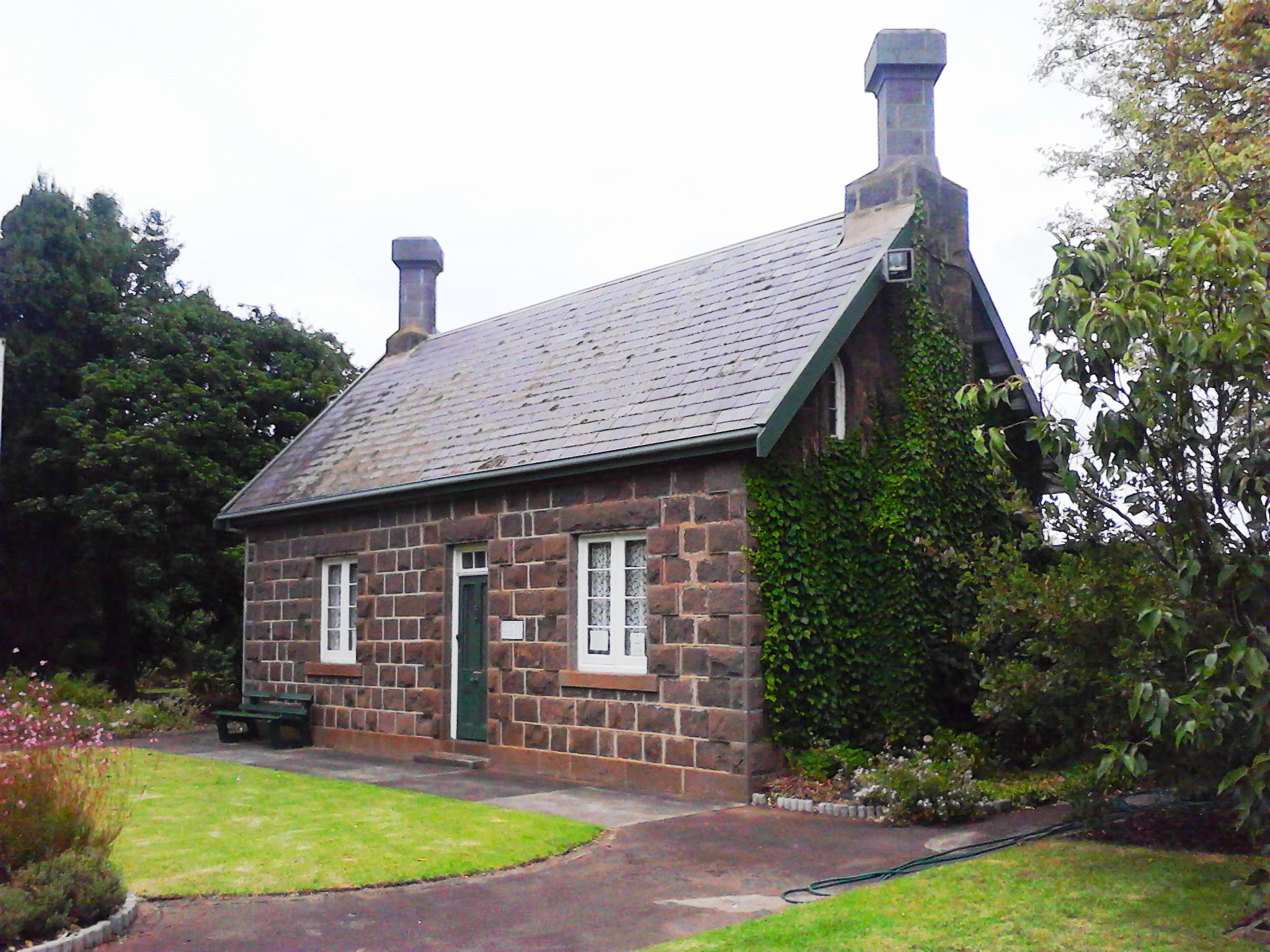

Some outdoor test shots, click to examine in full resolution. Excessive NR and poor dynamic range should be obvious, and this is AFTER processing in Lightroom!
Now to get down to the really important part of this review: Android Gingerbread. First the Operating System itself. I have found that it DOES crash from time to time, probably every couple of days, depending on what I am doing. This is rather more than I would have expected from a Unix based OS and I can only assume that LG's hardware drivers are a tad flaky. Other than that, I find the multitasking to be quite smooth although the task manager interface is really not good enough. The Running Apps widget is a great thing to have on your home page and it allows you to easily kill any apps that are running, BUT IT DOESN'T ALLOW YOU TO SWITCH TO THEM!!! How stupid is that? You can switch to a running app by clicking the normal shortcut icon but this is a pain to do if that icon is on some other page or nested in some folder. You can also hold down the home key to get a list of recently opened apps and you can then press the one to want to switch to. So if they could do that from the menu key, why the hell couldn't they do it from the task manager? 
With Gingerbread, most, but not all, apps you can download allow you to install them to the SD card, which beats the hell out of leaving them on the VERY LIMITED phone storage, which would soon fill up and prevent you installing any more apps. This is excellent, BUT, when the phone boots, Gingerbread has to run around your SD card, reconstructing all the app launching details until your desktop looks and works the way it did last time it was turned on. THIS PROCESS TAKES SOME MINUTES! WTF!!! Gingerbread also gives you the ability to connect your SD card as a MSD with USB connection, so you DON'T need to install the manufacturer's pain-in-the-arse PC Suite to transfer files across. This is great, but you can't use the SD card on the phone while you're connected, or any app installed there, and after you disconnect, the OS has to run around reconstructing all the app icons, same as it does on boot up. TEDIOUS!
Gingerbread also lacks the ability to take a screenshot. I gather this has been rectified in IceCreamSandwich, but that's not much help to the Gingerbread Man. The Android Keyboard is something you will see a lot of and it's quite good. Unfortunately on a touchscreen this size my fingers are just a bit too big for accurate typing, even in the landscape mode. One thing that puzzles me however is the predictive text: Only people's names from my contact list are offered as options. Where are all the standard dictionary words? Searching the internet, this appears to be a bug in this SW version. Not impressed Google! It appears the only solution is to install a 3rd party keyboard. Humpf! 
The above gripes are pretty minor really, and everything else about the OS is really very good. The App Manager makes installing and uninstalling a snap and so far has been flawless. The Android Market is well integrated into the OS and is simple, effective and a joy to use. The pull down bar is great for quickly turning your devices on and off. The settings menu which is also the menu for the home page, is comprehensive and easy to use. One oversight however is the ability to set ALL the system sounds to an MP3 of your choice. Sure, you can easily set the ring tone, but what about the alarm, the Email, the SMS etc. As far as I can see your options are limited to their list. Speech recognition is deeply integrated into the platform and I found it to be quite accurate and much faster than typing on the little keyboard. If you leave a short gap between each word and speak naturally it is really VERY accurate. Amazing! 
There are a great many other things about this OS which work so naturally that one tends to take them for granted and I'm not even going to mention them here. And IMO that's the way an OS should be! Apple have made an awful lot of money on the back of their slogan that it "just works", (which is a lie BTW). Well, Android can pretty much say the same thing, (although there are exceptions), at least as far the OS goes...

Android OS. Mostly good.
Now to the Android stock apps that come preinstalled. If Android devices were to be judged against iPhones by their stock look and feel they would lose hands down! THE STOCK APPLICATIONS ARE SECOND RATE! Yes, they work, but only at a simple level, and I find it difficult to believe that major manufacturers like LG, Samsung and Sony-Ericsson could allow such tripe to go to market.
Let's start with the number 1 culprit: the stock Browser. Considering this is built on Webkit, which was developed by Apple and Google amongst others, you would think it would be pretty good... but it ain't! Firstly, you can't remove the wasteful bottom bar which chews up 15% of the screen real estate in landscape mode, nor can you remove the system bar which takes another 10%. With the status bar at the top (removable but it keeps coming back), you're down to not much more that 50% of the screen available for actual content! Now that, Google, is UNACCEPTABLE! This particular oversight would be easily fixed, so why don't they fix it? I'll tell you why: because Google have lost the plot, and can no longer program their way out of a wet paper bag! Other than that, font sizes don't always behave as one would expect, often some fonts are too small to read even with option set to "close", while other fonts are fine. Fortunately, all these problems can be solved by installing the excellent Dolphin browser. I don't give too many raps to commercial products, but this is truly a beauty!
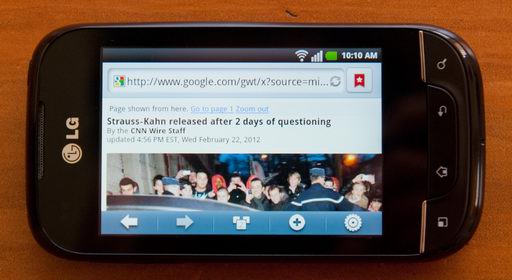
The stock browser screen real estate usage. Almost 50% lost!
Next piece of tripe is the stock Gallery. Yes, it will display your pictures and it impressed me by automatically linking to my Picasa albums, but it is COMPLETELY UNUSABLE for the following reasons: You can't turn off which folders the damn thing indexes and it will sit there and index every bloody image file on your SD card and your online account every time you fire it up, which will take some considerable time. Furthermore it assigns a separate album to every directory so that for every music directory that has a jpg in it, it creates another album in its home screen. So if you have 100 music albums with 1 piece of artwork in each, and say 20 online Picasa albums and 20 photo albums on your SD card, then the stock browser will put 140 separate albums on your screen every time you turn it on... good luck navigating through that stupidity. This might be ok if you could just tell it which folders to index and which to ignore, but you can't! FUCKING STUPIDITY! Clearly the cretins who wrote this never bothered to use it. Again, fortunately we have the wonderful Android Market where one can pick up a replacement for nothing! In this case I found the excellent QuickPic to be just what I needed. It just works the way one might want. Lovely! 
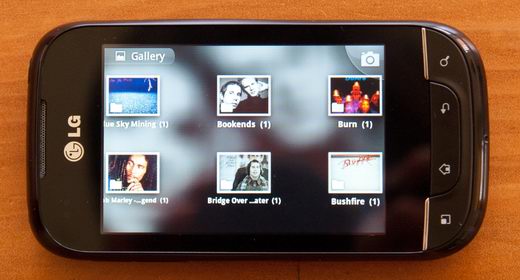
The stock gallery photo album selection. Page 5 of 20. 1 pic to each album. Absolute stupidity!
The stock Email ain't sooo bad, but it is a tad clumsy, with over large fonts and not quite enough customisability for serious use. The POP3 client is mostly ok, but it doesn't fully sync with the server, meaning that if an Email is deleted on the server it will still appear in the inbox until you delete it from there. If you use IMAP you are asking for trouble, read why here. Not bad, but not good enough for me, so I installed the excellent K9 mail for free. Nice work guys! 
Moving right along, we have the stock Calendar, which again, isn't so bad, but it does have a couple of problems. 1 - Like the Email client, the sync with your server, (in my case Google Calendar), only seems to go one way. If an event is deleted on the server it is NOT deleted in the app. 2 - The widget that comes with it is large, ugly and lacking customisability. I solved these problems by installing Business Calendar which offers all the customisability one could want.
One of the most serious problems with the second rate stock applications is the Music Player, which apart from offering bugger all customisability DOESN'T HAVE AN EQUALISER!!! Now I don't know about you, but it is my experience that most headphones and speakers that you might connect to any mobile phone do NOT exhibit satisfactory frequency response. This means that most headphones and speakers will produce poor quality sound when connected to the phone unless you have an equaliser to correct these deficiencies. It's no big deal, most MP3 players on computer or mobile phone have had equalisers for years. But not the Optimus Spirit! Again, it boggles my mind and boils my blood! FUCKING IDIOTS! What were they thinking? So because some brainless moron decides to leave out 1 feature, my entire music appreciation on this phone is wrecked forever? FUCK OFF!  Fortunately salvation is available with the excellent PowerAmp Pro, which solved all my music issues straight off the bat. A wonderful product, and just what I wanted, although it cost almost $5.
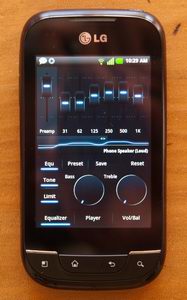
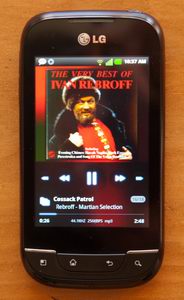
The Poweramp Equaliser and Player screens. Perfect!
The final problem with the stock applications is that they are PERMANENTLY integrated into the Android setup, perhaps it is only as part of the LG skin, but the fact remains that unless you root your phone you CANNOT GET RID OF THEM! It is the stock apps that appear in the pull down bar, it is the stock apps that can display during the screen lock, and it is the stock apps that will be triggered by other apps. You can hide their shortcut but you cannot uninstall them and you cannot stop them appearing from time to time. Ah well... This is only a minor nuisance and I guess I can live with it.
I can't finish this review without some mention of power consumption and battery recharge frequency. THE POWER CONSUMPTION DOES SEEM EXCESSIVE. My previous phone had only an 860mAh battery yet the time between recharges was longer than this Optimus Net, which has almost double the capacity! Even if you don't use the phone and turn off the GPS, Bluetooth and Wifi, Cell Standby and Phone Idle will still ensure your battery is flat in 2 days. I can't see why this should be, since the little Nokia 5630 lasted longer than this with half the battery. If you use the phone heavily, say... listening to music with Bluetooth headphones, while you browse the web with Wifi, and use the GPS, you will be lucky to get 4 hours of life. This is perhaps understandable, but in my opinion it is NOT LONG ENOUGH! I've checked out the battery saver apps, and yes, they can increase your time between recharges, BUT ONLY AT THE EXPENSE OF COMMUNICATIONS! These apps all turn off everything that they think isn't being used, such as GPS, Wifi and even Cellular Network. The upshot of this is that you don't receive calls, you find you're connecting to the internet with 3G instead of Wifi and your GPS simply doesn't work. These apps say that they will turn these services back on when they are needed, but the fact is that there is such a large delay before that service becomes operational again that it is effectively useless. The best power management is use the pull down menu to turn these things on and off manually. Sure it's a pain, but at least the phone will work properly. The ultimate solution to this problem, which I believe affects all Androids, is to use a larger battery. A 3000mAh battery would mean you could really hammer the device all day before needing to recharge, and light use would give you 4 days or so of life. I note that those clever Chinese aftermarket people are selling just that! Unfortunately the fatter battery means they also need to sell you a remodelled rear cover since it won't fit in the existing space. Good one dudes! That is the RIGHT IDEA!
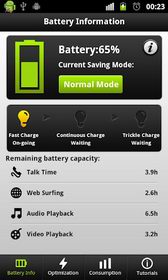
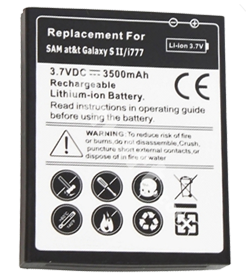
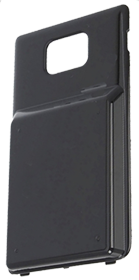
A typical Battery Saver App and a double size aftermarket battery and cover plate.
So there you have it: Android Gingerbread is a decent OS, it doesn't crash too often, it is responsive and offers wonderful functionality, but ALL the stock applications are only good for the trash can! Unbelievable I call it! Absolutely NOTHING of the top software layer is worth a cracker! But there IS the Android Market, and this folks, is what makes the Android an irresistible platform for anyone who hates Apple or who simply can't afford an iPhone. All you have to do to make your Android shine is remove all the stock apps from the desktop and download quality replacements from the market. You don't even have to pay for most of them. (Although this does mean putting up with small ads from time to time.) TOO EASY!
The Android Market: Why an Android is worth buying!
So now I love my Android,  and I have installed a great bunch of marvellous apps to do a multitude of things. I have many music albums on my SD card and many eBooks as well. It took a few weeks and a great deal of effort to fully master this new platform, but now that I have, I can cheerfully say that it was worth the trouble. Take my advice: ignore the stock apps, download the ones I have suggested, and you too, can laugh at the iPhone and blow your mind with the power of the Android!
Na Zdorovie!

Currently reading:
Tarnsman Of Gor by John Norman
The Grand Tour Of Europe
10:00pm, Friday, December 7, 2012
Current mood: tired 
I apologise for the lack of blog posts this year, but there were some events in my personal life that took some months of my time and then there was a lengthy and eventful "Grand Tour of Europe" that took most of the rest. It was my first tour of the continent, (although I had been to Great Britain a couple of years previous), and I feel I should share some of my impressions of this ancient and complex region. I could have written a great many pages on a range of topics here but have decide to limit myself to things that will strike any English speaking tourist the most strongly on their first trip: The language barrier, driving and roads. (Mobile phone coverage will be dealt with later.)
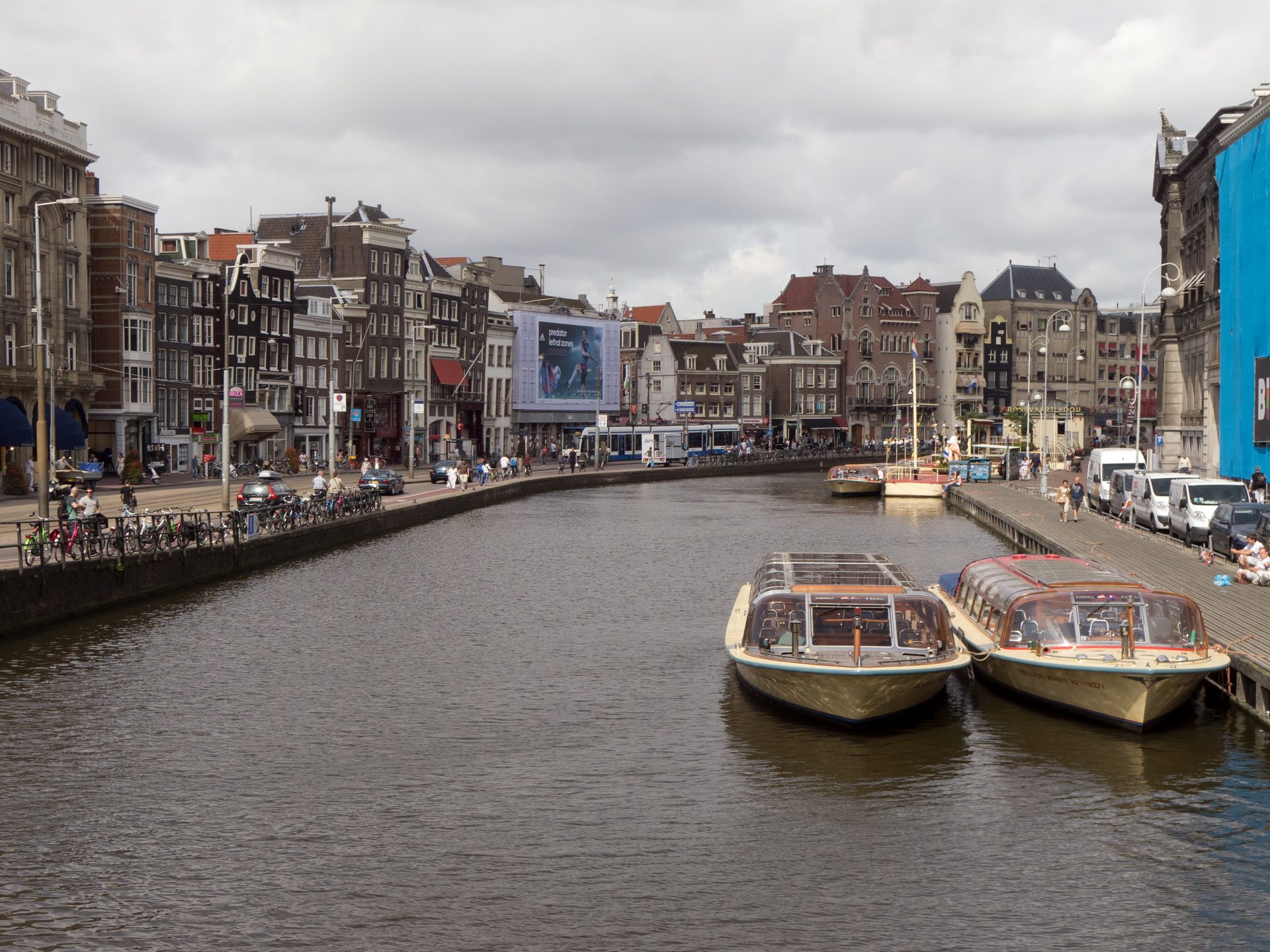
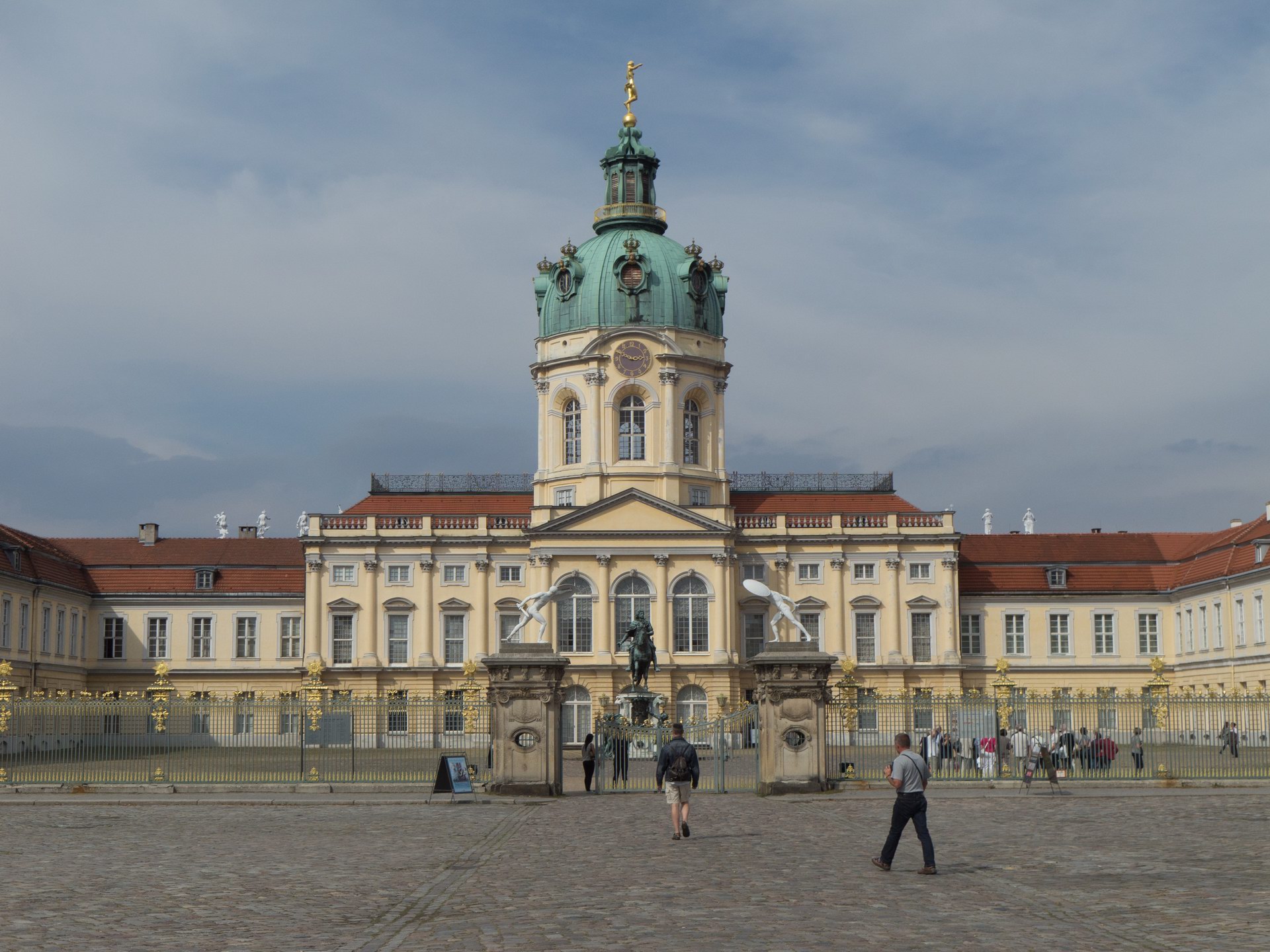
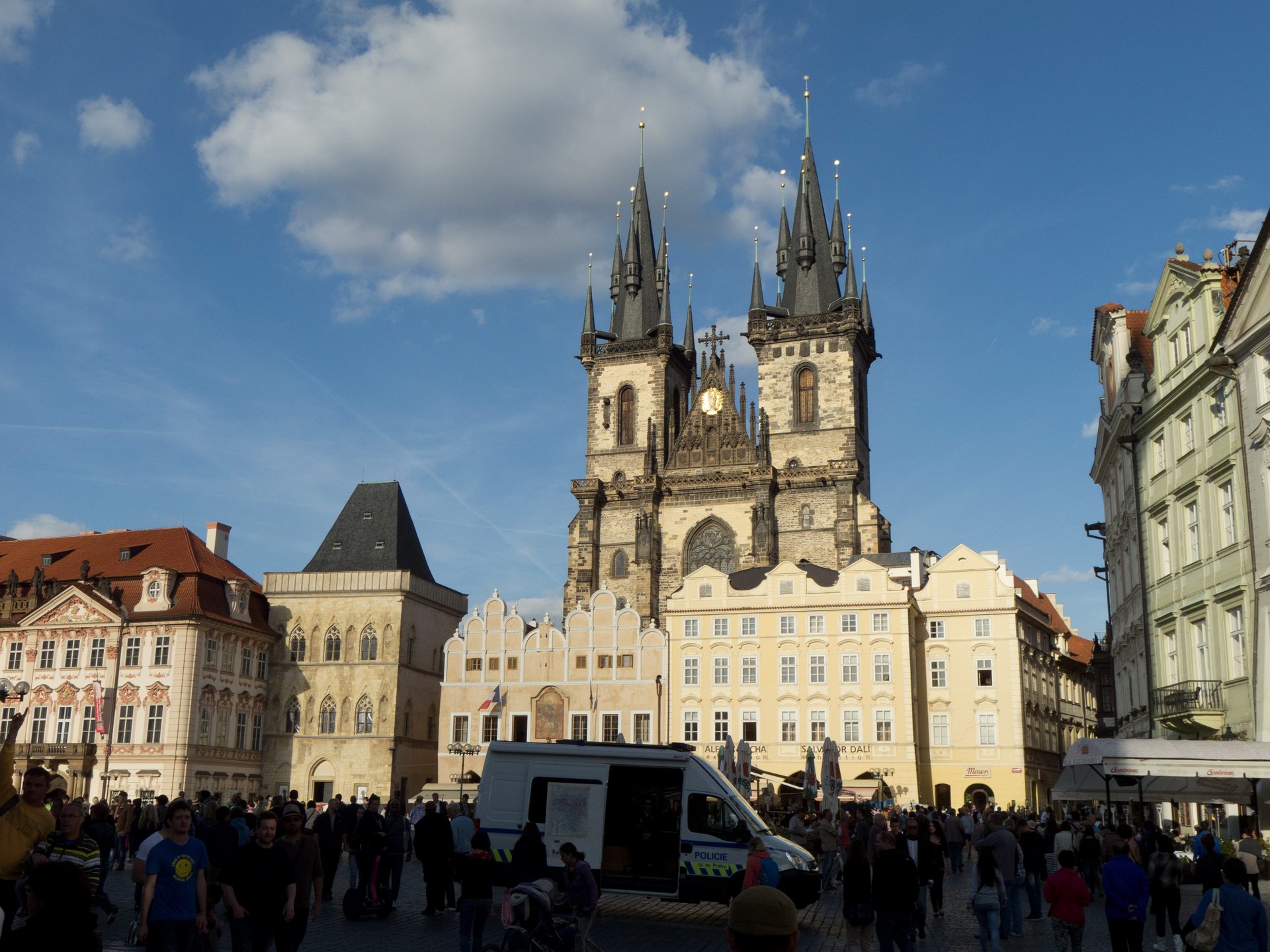
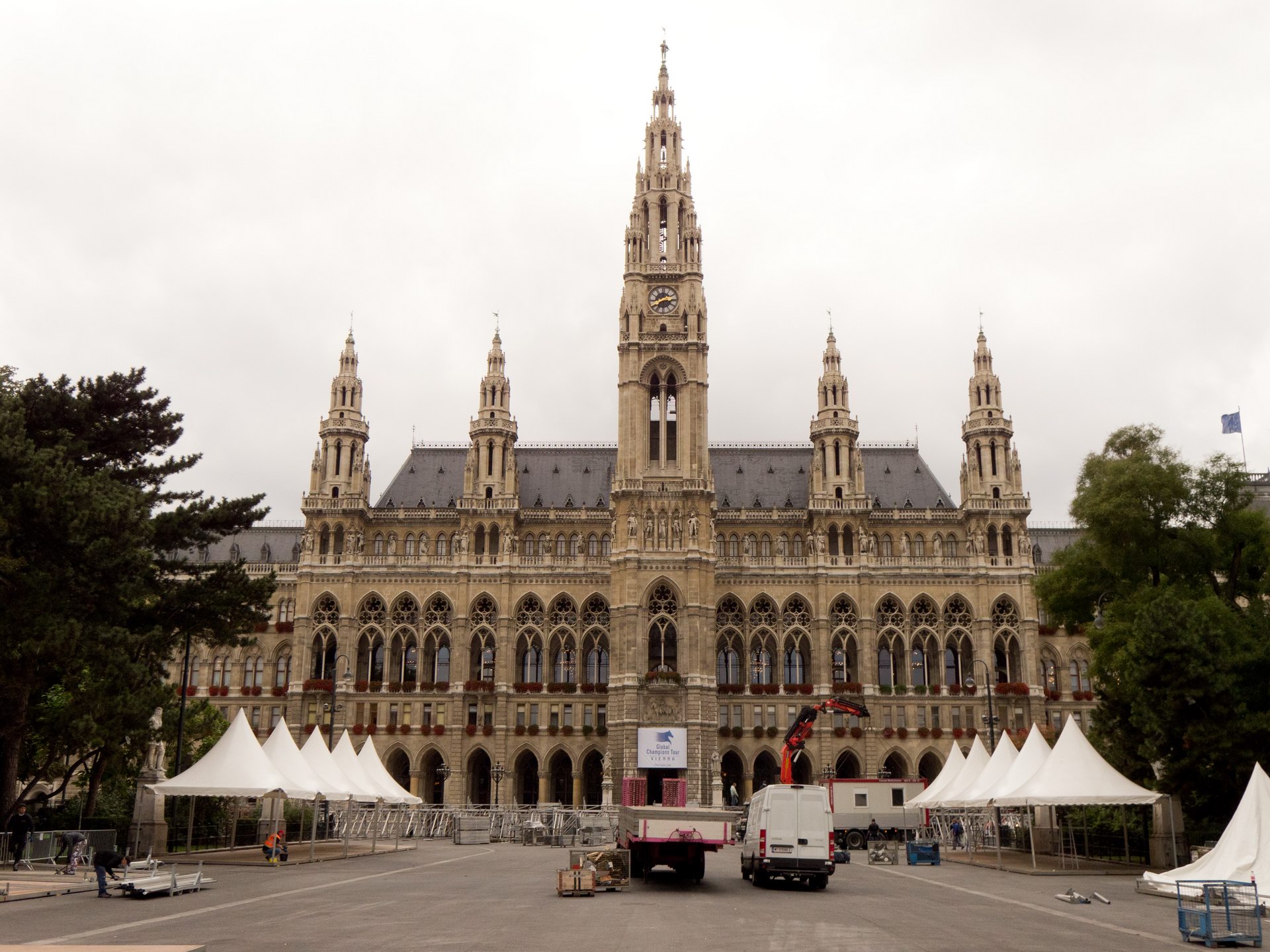
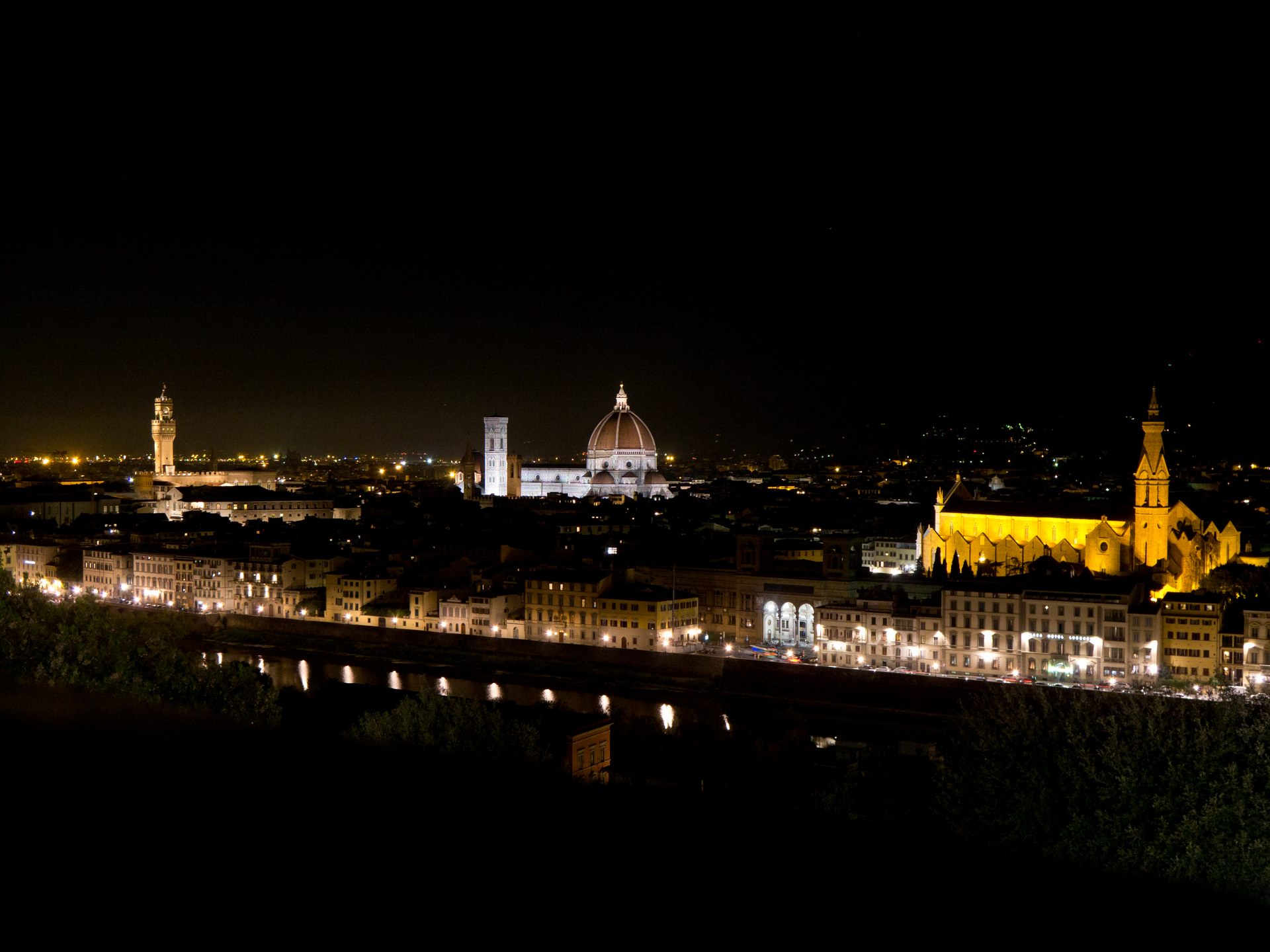
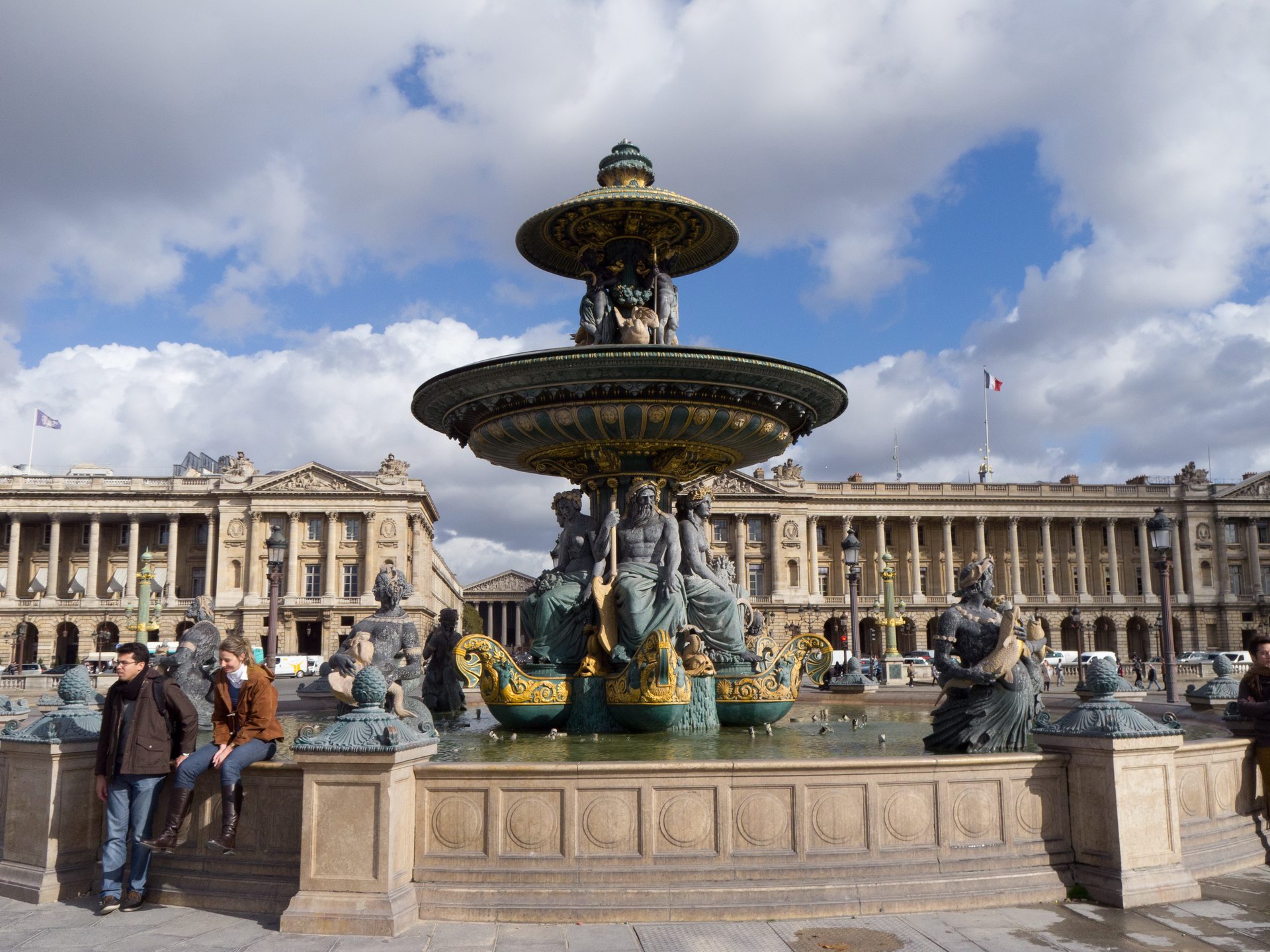
Our grand tour: Netherlands, Germany, Czesko, Austria, Italy, France. (click to expand)
The Language Barrier
I guess this is the first thing that strikes native English speakers when they first hit continental Europe. Sure you may know intellectually that English is not the first language ANYWHERE in Europe, but the visceral impact when you are surrounded by it is quite something, and may come as quite a shock if it is your first time in that situation. Depending on where you come from and what sort of TV you watch, you may be under the impression that everyone in Europe can speak English and will be happy to do so. However, that is CERTAINLY NOT the case. (At least not yet...) Although there are occasional exceptions, as a general rule: Signs will NOT be in English and you should NOT assume that you will be able to make yourself understood in English. The hard fact remains that: if you are touring on your own there is no substitute for some facility with the language of the country you are in. Furthermore: the better you speak and read it, the better will be your experience. 
I was better prepared for the European Tour than most native English speakers I guess: I spoke reasonable conversational Italian, had a typical schoolboy German, knew some Dutch phrases and a few French phrases. I had done some extra German revision before leaving, (although not to conversational level) and had intended to do some solid French preparation, however due to unforeseen events I did not have the time. Since I had Italian to a conversational level I knew how much work it is to get to that level and I knew what I was lacking. I knew that I would need more French and I took a teach yourself book and CD with me, hoping to learn in the car on tour... I knew, (or thought I knew), how I would go language wise, and I was quietly confident that I would be fine everywhere except France. And that was roughly speaking how it transpired, although there were some surprises.
General Rules
One must always appreciate that: no matter how well the natives of a European country may speak English, the fact remains that English is NOT their primary language. You are in their country and it will be appreciated if you speak at least a little of their language.  It's not hard to learn the local phrases for "Good morning", "Good evening", "Please", and "Thank you". If you slip a few of these into your English it will be worth your while. You should know at least these phrases and when to use them before you enter any country. "I regret that I can't speak (insert language here)." is also useful.
Even if find a region where people speak English well enough you might think those 4 phrases will get you through without trouble BUT sadly it isn't that easy... The thing you might not have thought of is SIGNS! These are generally in the native language ONLY and you will need to understand what they say. Perhaps you are at a supermarket and want to know what the product is that you are looking at, perhaps you are looking for a parking space and are confronted by a sign explaining the rules, perhaps you are driving along a road and see a sign dictating what you must do or perhaps you are simply trying to buy a railway ticket from an automatic dispenser... the list is endless. Here is where they get you in every country. There is NO ALTERNATIVE to having at least some vocabulary of the country you are in!
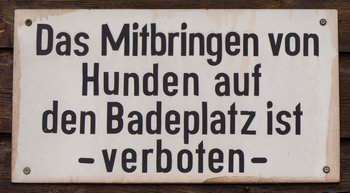
Don't expect signs to be in English!
You should make sure you have a dictionary for each country so that you look up the words you don't know. I used electronic dictionaries on my mobile phone so that they were always at hand whenever I needed to know a word. Sure, it takes time and effort to learn words in situ, but if you don't, you'll find yourself buying pork fillets thinking they were chicken, getting parking tickets for parking the wrong place, driving the wrong way down one way streets and getting told off by the checkout chick at the supermarket because you failed to weigh and price the vegetables before you joined the queue as the sign instructed you, etc... 

QuickDic: a free multi-lingual offline dictionary for Android.
You may think this is all too hard, but in fact: learning words in situ is the best place to do it, as they sink in a lot better when you NEED them. Furthermore: the same words reoccur in the same locations time after time, so you are well rewarded for the small effort it takes to learn them. You just need to put the EFFORT in the first place! Mind you, one should not confuse a healthy vocabulary with really speaking the language, as you need a solid grasp of the grammar and correct pronunciation in order to chat away to people. Nevertheless, some vocabulary is damn handy and will take you a long way. You can't expect to read a newspaper in one month, but the more you learn the better off you will be, so take in as many words as you can.
Pronunciation is CRITICAL! You may know how to spell a word, but unless you pronounce it correctly people may not understand what you say. Listen carefully when natives say a word or phrase that you know and imitate the way THEY say it. Learning from a book is all very well but there is no substitute for the REAL thing. Try and be aware of regional differences also. All countries have regional accent variation, and in some cases even separate dialects! If you listen carefully you will hear these. You can use the local pronunciation or the most common regional pronunciation, either way you will be understood. The main thing is to use a real accent from the country and not some Anglicised version out of your head.
Sure, it takes a little time, care and talent, to get a reasonable pronunciation and some will always do it better than others. However, the most important thing is to TRY! Someone who makes the effort to imitate and improve their pronunciation will do a lot better that a snob, who can't be BOTHERED or the self conscious type who is AFRAID.
Finally make sure you learn the NUMBERS! Yes, they will often be written down, but not always. You also need to be able to say how much you want of something. Just because you can count from 1 to 10 at your leisure, does NOT mean you know the numbers. You must be able to rattle off any number from 1 to 100 without preparation and preferably any number to 1,000. However that is not the hard part. The hardest part is understanding a price when it is rattled off at native speed in a regional accent. €84.70 might seem a short and simple thing to pickup, but believe me: It ISN'T! You really need practice with this at proper speed, so try and get someone to fire some random prices at you to get you used to it.
Netherlands
Netherlands is the ONLY country where almost everyone speaks English. It is the one country where you really CAN simply talk to everyone in English and they will speak back fluently, also in English! You have to take your hat off to the Dutch: Their bi-lingual education is probably better than any one else's in Europe. They don't always speak English quite like a native, but damn close, and unless you are truly bi-lingual yourself, they will speak English better than you will speak any other language. Anyone who has another language to conversational level or better will appreciate how difficult this is. Kudos! There are exceptions to this though: the older people, say, those over 60, do NOT generally speak English, and the children, say, those under 12, will have a limited grasp.
Dutch is quite a fun language to learn, (as all languages are if you approach them with an open mind), and not too hard for the English speaker once you get over that troublesome guttural "g" and "ch". These occur frequently and are especially tricky when in close proximity with "s" (Schiphol) or "h" (gehakt) or when they occur multiple times in one word (gegaan). One should not underestimate how tough those gutturals can be, but at least you know where they are, and with practise they become a lot easier. The grammar however is simpler than German and many words are similar to English ("is" for example). Dutch is a language that is really only useful in the Netherlands, (or perhaps South Africa), but it is nonetheless worth picking up at least to some extent.
Germany
Many people might think that: Since the Germans are a cultured people with a very high standard of education and universal TV and internet access, they would be as good at English as the Dutch, but this is NOT the case. A significant number of younger Germans, say under 40, speak good English, but by no means all. Once you get away from the tourist counters, a "Sprachen sie English?" is likely to result in a "Nein". Older people and people from the former DDR will generally NOT speak English well.
If you are on your own in Germany you can try approaching one person after another until you find one that can speak English, but this is tiresome and not always possible. A better option is to learn the stock phrases and use Google translate or similar to construct a simple sentence that says what you need. Of course this won't help you to understand what they say back but at least it is a start. Best, of course, is to learn to speak German, and if you can find the time and motivation this is what you should do. Germans are not usually snobby about their language and will normally do their best to follow you and help you if you try and speak German. It is one of the most useful European languages to learn.
German is the leading "Germanic" language in Europe, and in its ancient form was the foundation of the English language. Although the words are no longer the same and the grammar has changed, yet the kinship of these languages is still there, and I have always found schoolboy level German quite easy and natural. How simple it is to supply a "Guten morgen", a "Ja" or "Nein", "Das ist gut!" or "Ich bin Australier.".
One clause sentences in the present tense are child's play, (except for the genders), but once you get beyond that you find that German grammar is the hardest of all, and this is what stops most people learning it properly. Pronouns and articles are complex, inconsistent and confusing, adjectives are inconsistent, noun declination is tricky, verb conjugation as tough as they come and the 3 genders are a nightmare if you're not born to them.
I knew all this before I got there, and I knew I hadn't mastered these thorny issues, nor yet acquired the depth of vocabulary required for proper conversation. I knew this, so I did not expect to do well in Germany. In this matter I was pleasantly surprised however, for although I could not follow the conversation of others, yet I was generally able to make myself understood, and could even engage in some rather limited and halting but nonetheless rewarding conversation. Truly it is remarkable what some schoolboy German can achieve! If anyone doubts the value of such subjects on the high-school syllabus this should be all the justification required.
Austria
Although Austria has it's own form of German, it is almost identical, and you will need to listen carefully to hear the difference. Essentially you can speak your schoolboy German there and do equally well as in Germany.
Italy
Away from the tourist counters Italians will generally NOT speak English well. They will generally have zero English or just a small amount. On the positive side: They are normally not self conscious about using what they have, although it may always be enough to be useful. In Italy, unless you stick to the tourist route, it is necessary to speak Italian.
Yes, this means work. But on the positive side, Italian is perhaps the simplest language to learn: It's spelling is phonetic, its phonemes are easy and its grammar is not too hard. It is also a Romance language and so will help you greatly when you learn French or Spanish. If you speak one Romance language it is also possible that a native speaker of another will be able to understand you, which may be useful in emergencies.
Italian was the one language that I had to conversational level before my trip and so I was confident that I would be right at home there. This was more or less true as I generally had no trouble making myself understood, I knew what I was buying in the supermarkets, I understood the road signs and I DID have a number of conversations in Italian... however I did not do as well as I was hoping.
The most obvious problem when one is trying to step up from basic conversational level is speed. You might know all the words, but when they are flung out at you at native speed your brain doesn't have time to take them in and you don't understand what you otherwise might. This is not so bad in one-on-one conversations where your interlocutor can wait for you to catch up, but once there is a 3rd party native speaker involved this doesn't happen and you are lost.
The next problem is regional pronunciation which varies substantially in Italy. Although the "standard" Italian is pure and true, yet all the provinces have their own forms which are noticeably different and when you combine this with the speed element it makes normal speech more difficult than one might expect.
The 3rd problem is vocabulary. Although I had at least 1,000 words of Italian, yet native speakers have far more than that and although one might understand MOST of the words, it only takes ONE unknown word in a sentence to throw you off.
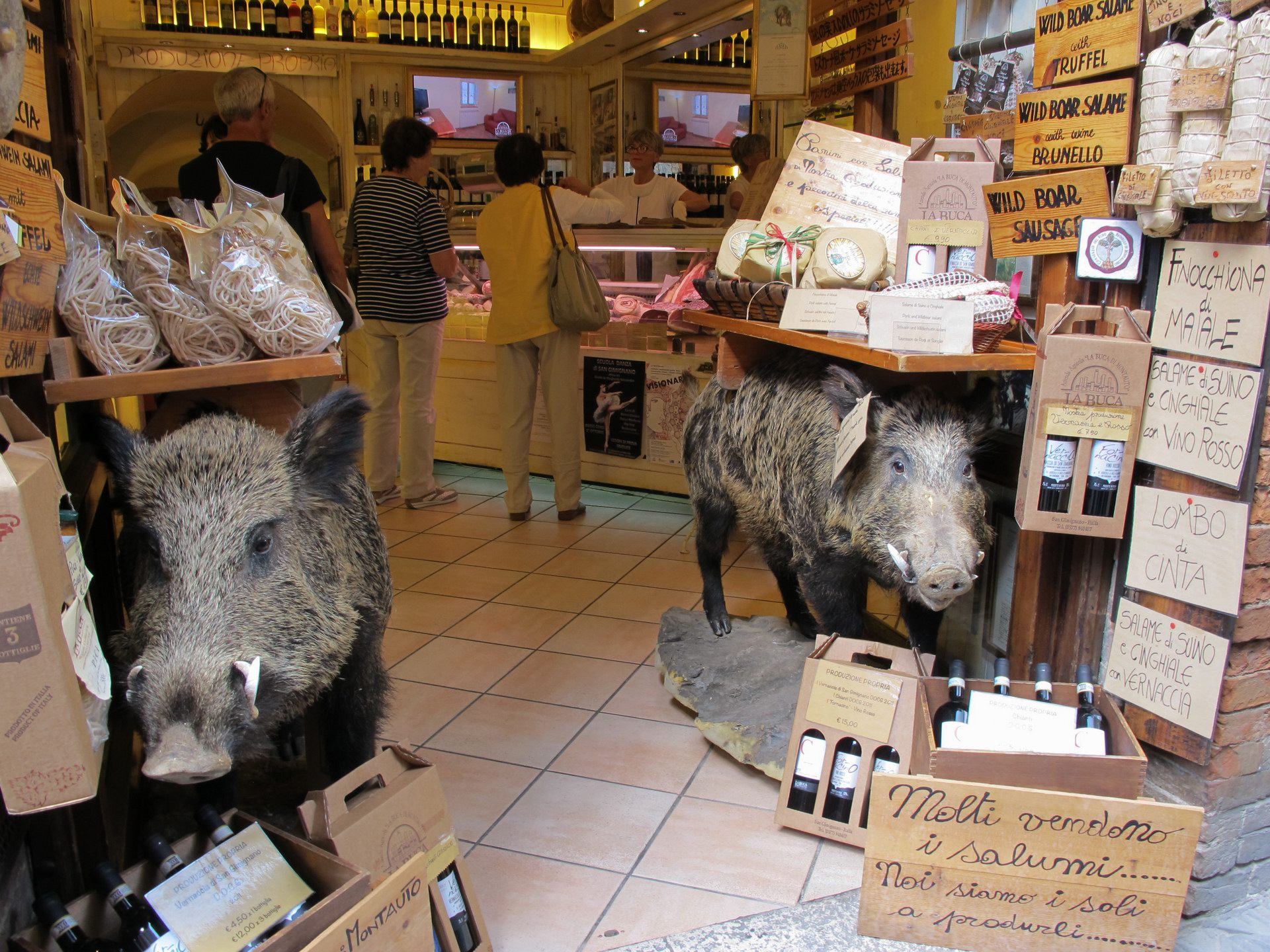
Italian delicatessen in San Gimigniano. (click to expand)
Looking back I can see that my expectations were too high. To have a basic conversational capability in a language is commendable but a VERY long way from being able to speak like a native. I did well in Italy with what I had and I got along just fine. To take the next step up though one must live and work there and that is something I am unlikely to do. 
France
The French are famous for being snobby and arrogant about their language and this I found to be generally true. Most French people genuinely do NOT speak English well and many of those who speak it a little will refuse to use what they have, simply because they hate the fact that English has become the International language and not French. Or more likely: Why should THEY have to speak someone else's language in their OWN country? 
In Paris there are plenty of English speakers and if you try enough people you will find some who are nice enough to use it, the same is NOT true in the smaller regional towns. If you stick to the tourist route you can get away with English but for anything else you need to speak French.
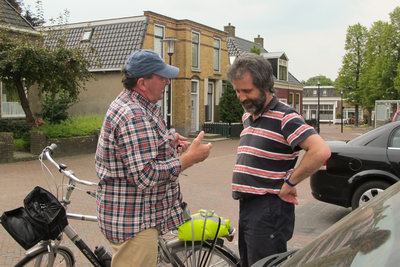
Bailed up by a Frenchman in Wommels who insisted on speaking in French even though we were in the Netherlands.
Not only do you need to speak French, but you need to speak it well. Much of the French reputation for arrogance is deserved and although there are exceptions you won't generally get the understanding or patience in France as you struggle with the language that you might get in Germany.
Although it is possible to visit a country without speaking the language, (and this is essentially what we did in France), yet to properly experience the culture you need to speak the language. In France this is true more than anywhere else in Europe. I would almost go so far as to say: If you don't speak French, don't go to France.
Peugeot Open Europe & Our Peugeot 208
There is no doubt that if you want to go WHERE you want, WHEN you want, there is little alternative to using a car. With this in mind we signed up to the Peugeot Open Europe car lease scheme before we left Australia. Under this scheme you are given a BRAND NEW vehicle of your choice, with full insurance, 24 hour roadside assistance, new vehicle warranty etc in a lease-buy back arrangement for less money that you could hire it for. We were very happy with this scheme in all respects and I wouldn't hesitate to recommend it to any traveller venturing to Europe for an extended holiday.
The Europeans make excellent cars as a general rule, which tend to be more compact and sporty that the American or Australian style. The Peugeot 208 that we drove was no exception to this and in almost all respects was a delight to use. Another manner in which European cars differ from the USA is the common use of diesel fuel for cars as well as trucks. Presumably this is due to the relatively high price of fuel there, as diesel is more economical than petrol.
Credit must go to the Peugeot designers for the wonderful ergonomics of this small car. We spent hours each day in it but the seats were never uncomfortable and everything was in easy reach. Although ours was a "B" segment vehicle, (small car), we were able to carry all our luggage and camping gear, including chairs, bedding, food and even a small stove in the back while we sat in comfort in the front and could still see out of the rearview mirror. It took an efficient and carefully thought-out packing plan, but it worked!
Also kudos for the engine. Which, once it was going, accelerated nicely to European highway speeds and stayed there with no problem. The 1.5L turbo diesel showed no discernable lag, its only weak point was getting off the mark: where if you didn't have sufficient revs the engine would bog down badly and force you to declutch, rev and bring the clutch in again. Other than this, the engine was lovely until about 150kph where it ran a little rough. Real world economy was about 5L/100k, which made the high European fuel costs very affordable.
Handling was excellent, with fast & accurate steering, firm but compliant suspension and predictable cornering that never inspired anything except total confidence. Kudos!
The gearbox was the only marginal piece of machinery in the car, with an over-tall 2nd gear that forced you to change down to first in some slow-speed city conditions and a vagueness in selecting the second column on the stick shift which sometimes left you in 4th instead of 2nd and vice-versa.
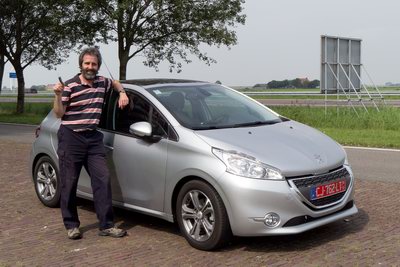
Me with our trusty Peugeot 208.
Our 208 came standard with cruise control and integrated GPS. The cruise control worked perfectly and in today's world of speed cameras and traffic obsessed cops I consider it a must. Touring through a densely populated, heavily trafficked and complex road network like Europe's DEMANDS a quality GPS in my opinion, and I can only imagine the troubles tourists had in the past attempting to navigate through the maze, not to mention the expense of having to buy endless maps... The 208 GPS is beautifully integrated into the overall dashboard and in this respect at least it is a real GEM. The relatively large console screen is way better that a portable and the HUD above the steering wheel displays turns as they approach so that you don't have to take your eyes from the road. Wonderful!
Unfortunately the software lets the system down, as it does on ALL GPS units that I have tried. As always the database is imperfect, occasionally trying to take you up roads that DON'T exist and not recognizing some that DO. This varies from country to country and is certainly a pain, but all sat navs have this problem (except perhaps Google Maps...). Less forgivable are the algorithms of the unit itself, which frequently tried to take us RIGHT THROUGH THE CENTRE OF THE CITY where obviously the traffic is a nightmare. Another shortcoming was its insistence on taking narrow, convoluted roads that are bound to be slow and unsafe, rather than taking a very slightly longer, higher priority road. Such things almost got us into trouble on numerous occasions but the WORST problem was the audio telling us to turn left when the map pointed to the right and vice-versa. Now that, Peugeot, is NOT ACCEPTABLE!!! 
Roads
Europe is an ancient region with roads of all kinds from the fastest, modernest expressways to the narrowest, oldest goat tracks and everything in between. If you want to get from A to B quickly, comfortably and safely the ONLY choice is the expressway, variously known as "de snelweg" in the Netherlands, "die Autobahn" in Germany & Austria, "l'autostrada" in Italy and "l'autoroute" in France. You can try to use the other roads, but there is really no comparison. Reasons for this include the higher speed limit, the lack of crossroads and stops, the greater number of lanes and the modern layout, but also important is the fact that other roads must go around, under or over the expressway, which often takes them quite far out of their way.
It may SEEM an attractive and romantic notion to cruise around Europe on the back roads, taking your time and absorbing the natural surroundings and culture as you go, avoiding the rush and characterless modernity of the expressway, and avoiding the tolls... The idea may seem attractive, but the reality is anything but! Sure, if you know the area and the roads, you can probably find some nice back country rambles... in some locations... probably... Unfortunately, as a tourist you do NOT know those locations and what you are likely to be confronted with is a slow, narrow, congested route filled with impatient locals, frequent stops, numerous small towns, arcane traffic directions, industrial landscape and the constant danger of a wrong turning or an accident. Once you've tried this a few times you'll probably want to stick to the freeway wherever possible.
One other thing: They LOVE their roundabouts in Europe. They are EVERYWHERE! Big ones, small ones, double lane, single lane, cloverleaves... Better get used to it!
Finally there is the matter of TOLLS! Depending on the country, the use of expressways in Europe may incur a toll, which varies substantially from country to country and in France, is greater than the cost of fuel!!! These are collected in various ways in each country so check up BEFORE you enter a country what the procedure is.
Netherlands
The Netherlands are among the most densely populated regions in Europe and considering that most people own and drive a car, you would expect their road network to be traffic chaos, but this is not so! Owing to the efficient and consistent layout of their towns, roads and cities, de snelweg is a fast, efficient and pleasant way to get around. Not only that, but it is FREE!!! Kudos!
I experienced very few delays on de snelweg, even on the fringes of Amsterdam, on a weekday, near the airport we didn't stop, thanks to the 6 lanes each way. The maximum speed limit is 130kph. IMO Dutch freeways are the best in Europe. Enjoy!
Town streets are very different of course, and you must always give way to the large number of bicycles. This is no problem, just take it easy. Beware the centres of towns as there are always one way streets surrounding the inevitable canals and navigation is tricky, parking difficult and progress slow. Having said that though, the Dutch streets are so well laid out that you are never too far from the snelweg and the traffic is never really bad.
Parking is usually possible but you often have to pay.
Germany
Germany more or less invented the expressway and it is famous for its Autobahns, some of which go back to the Nazi era. When you consider the history of these freeways, the wealth of the German nation and the German love of order and quality you would think that the Autobahns would be at least 3 lanes wide in each direction and in good repair, where the enlightened burghers of Deutschland might drive in a relaxed and efficient manner from city to city, where driving at speed was pure joy . You'd think that... but you'd be WRONG!
For a start, they are normally only 2 lanes in each direction. This might be just about adequate in rural areas, if nothing goes wrong... but things OFTEN go wrong, cars crash, trucks break down... the end result is everyone trying to fit in one lane which means crawling along for many kilometres. Even worse is the congestion around large cities, especially at peak times, where the number of cars is too great for the system to handle.
Autobahns, as is well known, in many sections, have NO SPEED LIMIT! So you would think that it would be possible to sit on 180kph all the way from Hamburg to Munich... You might think this, but again you'd be WRONG! If you come from a heavily populated country that also has 2 lanes per direction expressways you'd already understand the problem, but if you come from a place like Australia, where the population is sparse, you wouldn't. The core of the problem is the large number of TRUCKS that use the freeways right throughout Europe.
There are so many trucks that they permanently take up the slow lane of the freeway where they sit on 100kph. This means that cars are CONSTANTLY veering into the fast lane in order to overtake them. You are not permitted to sit in the fast lane except when overtaking, so as a car driver you must be CONTINUALLY moving into and out of the fast lane. This is quite taxing and one cannot simply sit in one's lane and relax, as one could in Australia for example.
Because there are a constant stream of cars moving into and out of the fast lane doing around 120kph, the REALLY fast cars that wish to tear up the autobahn at 200kph are constantly having to slow down for them. Not only that, but quite often one truck in the slow lane will decide to overtake another. Since the overtaker is probably only moving at 2 kph faster that the overtakee, this process may take up to 5 minutes, during which time EVERYONE behind has to wait, including those rich Audi drivers who are so impatient. (Incidentally, the frequent occurrence of fast Germans coming up behind you from nowhere, tailgating you and flashing their lights to demand you get out of the way, when you were only overtaking someone, becomes annoying very quickly.) 
Another problem for the fast driver on the autobahn is that: although there are numerous places where there is no speed limit, yet there are also NUMEROUS places where there IS a speed limit. These include the area around on ramps, which are very common, as well as bends in the road, city areas etc. The effect of these factors means that prolonged high speed driving in Germany is simply NOT POSSIBLE. Sorry to dispel the dream folks...
The other great problem during our stay in Germany was the CONSTANT, SYSTEM-WIDE, freeway repair and replacement. I'm hoping that this was merely a short-term infrastructure spending to boost the economy during the depression, because it was certainly a massive nuisance! Every hour you'd hit another large scale roadworks, where both lanes were redirected across the median barrier onto the other side of the road which you had to share with traffic coming the other way. Some times the traffic would be reduced to one lane each way. Other times they'd SQUEEZE 4 lanes in, but those lanes were so narrow that you couldn't fit 2 trucks side by side. Naturally the speed limit was greatly reduced in these sections and the congestion was greatly increased, making driving slow and tedious. There were WAYYYYYYY too many of these.
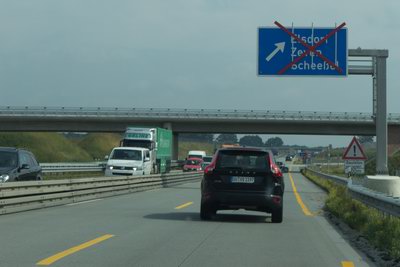
Autobahn repairs: makeshift road dividers, slow speeds and closed exits.
All in all, our experience on Germany's famed autobahns was somewhat underwhelming. No doubt it would have been better without so many road works but until it is 3 lanes each way across the network I don't think it will really shine. However, at least THEY ARE FREE!!!
Ordinary roads in Germany are just that: ordinary. They won't get you from A to B particularly fast, but they are generally in good repair and not too convoluted. The only problem with these roads is the FREQUENT changing of speed limits: here it's 80kph, then 50 through the town and sometimes even down to 30 in the centre. Since there are many towns you are constantly changing your speed and of course if you miss a sign you could be in trouble... Grrr... too hard!
Parking was often difficult, as it generally is everywhere in Europe, especially in the cities, but there are parking barns which are a tad expensive. Alternatively there are "park and ride" areas which you should research before reaching the city. Our GPS unit had these in its database so it was easy to navigate directly to them.
Austria
Austria's freeways are very good but they are NOT free. Not free, but not exactly expensive either. I think we paid about 15 Euro for 10 days. You need to buy a vignette (toll sticker) when you enter Austria. It contains a resonant implant that responds to the overhead scanners. Driving on the Austrian autobahn without a vignette will result in a fine.
Unlike Germany, Austria DOES have a general maximum speed limit. This is 130kph, (pretty standard actually, for Europe). We found that travel on the Austrian autobahns was easier and more relaxing that Germany. This was due to the sparser population and the lack of constant road works.
Another nice thing about the Austrian freeways is that the ASFiNAG, (short for "Autobahnen- und Schnellstraßen-Finanzierungs-Aktiengesellschaft"), have roadside stops every so often, where you can use the toilet and possibly even the shower, FOR FREE! You can also have a picnic if you so wish. Its nice to see the toll collectors giving a little back to the drivers.
Parking is not so bad in Austria, presumably because of the lower population density, (although you might still want to avoid parking in the centre of the large cities.)
Italy
Without a doubt, Italy provides the worst driving experience in Europe.
To begin with, the autostrada is tolled PER TRIP... and the tolls are NOT CHEAP. They are far more than Austria and cost us about half as much as our fuel! You stop at toll gates when you enter the autostrada and take a ticket. When you leave the autostrada you insert your ticket at the toll gate and pay the assigned toll, the more kms the greater the toll.
Along the autostrada from time to time there are roadside stops. The ones that are entirely free are basic & pretty dodgy and sometimes closed off. The commercial ones that have a fuel station and cafe/restaurant/supermarket are fine and I can totally recommend the coffee if you have a caffeine addiction. NO ONE does espresso like the Italians!
The freeways may be expensive but the ordinary roads are an ABSOLUTE NIGHTMARE!! Once you have tried them you will happily go back to paying the tolls.
Italian public infrastructure is run down throughout the country and this certainly includes the ordinary roads, where the pavement surface is an absolute disgrace. But it's not only the surface: The roads are the narrowest in Europe, and the most convoluted. The drivers are crazy, the motor-scooters worse and the pedestrians stand about conversing in the middle of the road. The place is FULL of blind turns and there are towns EVERY few kilometres where you will be slowing down to 50kph and where you can easily get lost. 
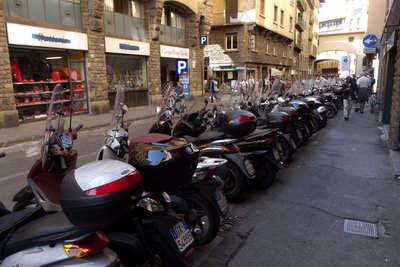
Motor scooters in Florence.
Parking is the most difficult in Europe. Yes, you can pull in to a supermarket carpark but good luck anywhere else. Don't even think about parking in a city street. If you're driving along a nice country road and you want to stop to admire the view, tough luck, Italian roads have no shoulders and there's probably nowhere near that you can stop.
There are some truly excellent things about Italy, but the roads are not one of them! However, just stick to the autostrada whenever possible and you'll minimise the problems.
Incidentally, the fuel system is rather strange in Italy. Like many things in that country it's rather dodgy and one can only wonder to what extent the Mafia is involved in it. For a start, fuel in Italy is EASILY the most expensive of any country we visited! But even that isn't so straight forward. It is not unusual in a town to see 2 or three petrol stations near each other with WILDLY differing prices. Obviously a petrol station charging 8 cents per litre more than it's neighbour is not going to do much business... or is it? We found that one tank of diesel we bought at a cheap price gave us very poor economy. Presumably the fuel there was not up to normal standards. Then there are the unattended pumps. You pay first and then the pump will dispense the correct amount of fuel... you hope. I was unwilling to use my credit card in these machines and found that paying by cash was possible but a little tricky. You don't want to get it wrong of course, else your money will disappear. You can fill up at the attended pump and pay the man, but that costs 8 to 10 cents per litre more!
France
France is one of the richest countries in Europe and the autoroute provides a fast and smooth driving experience. It has only one drawback: It is tolled and the toll is VERY expensive! So expensive in fact that we found it exceeded the cost of our fuel!!! An ABSOLUTE OUTRAGE!!
In one of the worlds richest countries... What are they thinking??? 
The tolling system is the same as in Italy: you take a ticket at the start and put it in the machine at the end and pay what they demand. In some sections they don't bother issuing a ticket at the beginning, everyone is simply hit with a flat fee at the end. 
After being clobbered with the excessive charges on the first day we resolved to try the ordinary roads... But we found that using them took 3 TIMES the duration! Certainly the ordinary roads are much better than in Italy, but the routes are still convoluted, meaning you must travel a greater distance, the speed limits are low, there are numerous towns to travel through, which slows you down enormously, and there is significant traffic which incurs substantial delays. If you need to travel 300kms in one day you can do it with ease in the morning on the autoroute, but on normal roads you will be driving ALL DAY, and possibly the night, and not enjoying the experience!
Normal roads are fine if you wish to travel less than 100kms per day, but for anything else you are best advised to pay the extortionate autoroute charges and arrive in good time in a relaxed frame of mind.
Commercial roadside stops on the autoroute are fine, but you have to pay for the toilet and the coffee is not a patch on the Italian equivalent.
Parking is better than Italy and similar to the rest of northern Europe. Big city parking is effectively limited to parking barns where the fee is substantial but that's the way it is in the over populated cities of Europe. Naturally, driving through the centre of big cities is not recommended for tourists. As always, your best option is to park on the outskirts at a "Park & Ride" and take the metro in.
Driving On The Other Side
Most of the world drives on the right hand side of the road and the driver sits on the left hand side of the car. Most of the world, but NOT all! In England, Australia, India, South Africa, New Zealand and Indonesia it is all the other way around! This presents a difficult and dangerous problem when a person from one regime attempts to drive in the other.
As an Australian venturing to Europe I was aware of this issue and sought to prepare myself for it before I left. One can read others' advice, but there's not much you can do before you get there, short of being aware that it is going to be a problem for a few days and organising your schedule so that you don't need to do any extended or tricky driving on those days.
We certainly found it difficult to make the transition but we just did a little at a time and as we improved we tried longer and more tricky stints until we were fully confident. 2 days taking it part time should be enough.
It is not only being on the opposite side of the road and turning into streets the wrong way that is hard to get used to, the WHOLE LAYOUT of the car is the wrong way around! If you've driven a car from the other regime before, you will be familiar with the habit of turning on the windscreen wipers when indicating for a corner, but reaching for the gear stick with the other hand really takes some getting used to. Fortunately the clutch, brake and accelerator are in the same position in both regimes.
People DO have accidents due to forgetting they are in the other regime and we were both terrified it would happen to us. We DID make the dreaded mistakes a few times but fortunately avoided any accidents.

The most common and dangerous mistake is not looking to the LEFT when sailing out across a road, either as a pedestrian or a driver. In RHD countries we look RIGHT to avoid any traffic coming along the curb. We don't need to worry about traffic coming from the left until we get to the centre of the road, so it is a lower priority. If we are TURNING LEFT we don't need to look to the left at all, since the only traffic that can hit us is coming from the right. This is where habit leads us into trouble in the other regime and several times I was nearly cleaned up by cars hurtling along the curb from the LEFT. It is difficult to change the habits of a lifetime and even though one tries to be careful and look both ways, yet sometimes you forget and do what you are used to. BEWARE!
The other dangerous mistake is to momentarily forget you are in a foreign land and to drive on the WRONG SIDE of the road. This won't normally happen when there are other cars on the road as you will follow them. The mistake occurs either late at night or on a country road where there is no other traffic for a little while. It happens when you are TURNING ONTO the road with no traffic in sight. The momentary forgetfulness means that you turn into the wrong lane and there you stay until you realise your mistake or run into someone coming the other way. It helps if there are 2 in the car and other can alert you if you make this mistake. Having 2 people both from the other regime doesn't guarantee to avoid this however, as BOTH can forget where they are if they are relaxed. BEWARE!
Currently reading:
Do Androids Dream of Electric Sheep? by Philip K Dick
Propét Stability Walkers (review)
2:00pm, Monday, December 10, 2012
Current mood: calm 
It just so happens that I suffer from the highly unusual condition of very narrow male feet. I hear numerous complaints from other Australians that their feet are too wide, making it hard to find shoes that fit. But truly they have no idea of the magnitude of the opposite problem. Wide feet are, in fact, relatively common, and although finding wide fittings may be a trifle hard in Australia, at least they exist. There is no such consolation for the male with narrow feet and I can say after 50 years of inquiring at shoe shops all over the country that men's A, AA & AAA fittings are simply NOT AVAILABLE IN AUSTRALIA! Men with narrow feet are so rare that no shop will stock these fittings. Nor is it worth the merchant's while to import them on request. Your only hope is to have your shoes custom made which is prohibitively expensive. Well at least that was the situation before the advent of online shopping!
I've had sore feet and distressed arches, (when I've worked them hard), all my life, due to NEVER having had shoes to fit! I've heard the false boasts of large shoe stores and chains such as The Athletes Foot whose ad says: "I've never met a foot I couldn't fit!". But when I fronted them and asked if that had anything in a AA, they told me straight off that they didn't. The last time I was in the UK a couple of long days roaming around London had left my feet in absolute agony so I went to a specialist shoe store who guaranteed to fit me. To their credit they did manage to find a pair of Meindls in an A fitting, at considerable expense, which weren't too bad and got me through the tour of Great Britain. However, it must be said that a AA fitting was beyond them.
Before venturing to Europe this year I resolved to have a comprehensive look at the narrow fitting options online. For the man cursed with truly narrow feet this presents a depressing picture, as scarcely any online stores actually stock A, AA or AAA fittings. On the other hand however, there are a small number of options, all of which are in the USA. Hands down the greatest range of options are to be found at Shoe Mall where a pair of Propét Stability Walkers took my eye.
They had my size and fitting so I tried to order them direct, but of course, thanks to their wrong-headed policy of protecting our lazy local merchants, they don't ship to Australia, lest our local bloated margins be eroded. I understand that local retailers have some serious intrinsic disadvantages compared to overseas online shopping stores in the case of small expensive items such as cameras and mobile phones, but in the case of shoes, whose size and weight incur substantial air freight costs relative to the cost of the item, there is no excuse for not being at least reasonably competitive and there should be no need to restrict imports. Since this policy reduces ShoeMall's income, I can only imagine that it is forced on them by the big shoe manufacturers seeking to quarantine markets.
Attempting to do the right thing, I found Propét's Australian distributor, (ActiveCasual), and emailed them, referring to the product available in the USA and asking if they could import it for me. They replied:
"Thank you for your enquiry. The styles that you are speaking about are US stock and we do not stock them in Australia. I can forward your request on to the US company if you would like."
This reply was unhelpful enough, but the true attitude of Propét USA was revealed by Jack Hawkins, their representative in the USA, who replied:
"We are sorry that we do not carry this size and color in stock. I am sure that Sky Mall would be pleased to service you.
Aside from being dismissive and willfully unhelpful, (since clearly they DO make that size and fitting), this reply is actually insulting, as Sky Mall is in fact, an in-flight marketer of junk who don't even stock Propét's products, nor do they stock narrow fittings of any manufacturer. These things Mr Hawkins would well have known. When a company treats it's customers with this sort of contempt they do not deserve any respect... or business.
Nevertheless, I am a persistent man and don't give up easily, so I used a forwarding agent, to purchase the shoes in my stead and forward them on to me. They duly arrived, new and clean, and in AA fitting. They were the narrowest shoes I had ever seen! They fitted perfectly and it was a new experience for me after 50 years, to be able to walk down the street in shoes that ACTUALLY FITTED! They were such a good fit when new that I had to wear thin socks, as they were too tight with the thick winter ones that I used to wear.
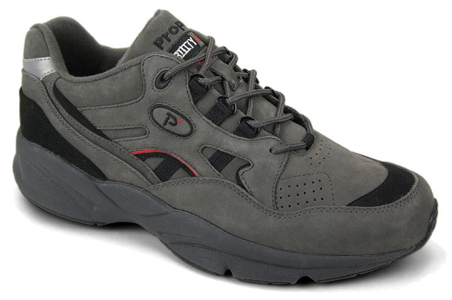
A brand new Stability Walker. Nice when new...
These shoes came with a whole raft of supposed superior features that you can read about here. Attached to their boasts of the finest design and materials was a THOUSAND MILE GARUANTEE!!! Yes indeed! This quote is from their website:
"Today, Propét has grown considerably but the mission remains the same: offer a quality product at a value price. Propét also offers more widths and more sizes in stock and not specially made to order. We've encouraged our customers to walk a thousand miles in our shoes. In fact, we guarantee they can. Propét Walking Shoes come with the industry’s best sole wear guarantee - 1,000 miles or 6 months from the date of your customer’s purchase, whichever comes first."
Wow! Impressive!
If only it were true...
I used these shoes exclusively around Europe and walked the streets of famous cities like Amsterdam, Paris, Berlin, Rome and Vienna in them, as well as a few short Alpine walks. They performed well at first but after a month the fit became slack, the stitching began to give way and the soles began to tear. They were no longer comfortable and supportive and my feet began to suffer pain again. I received the shoes in June but by November they looked like this:

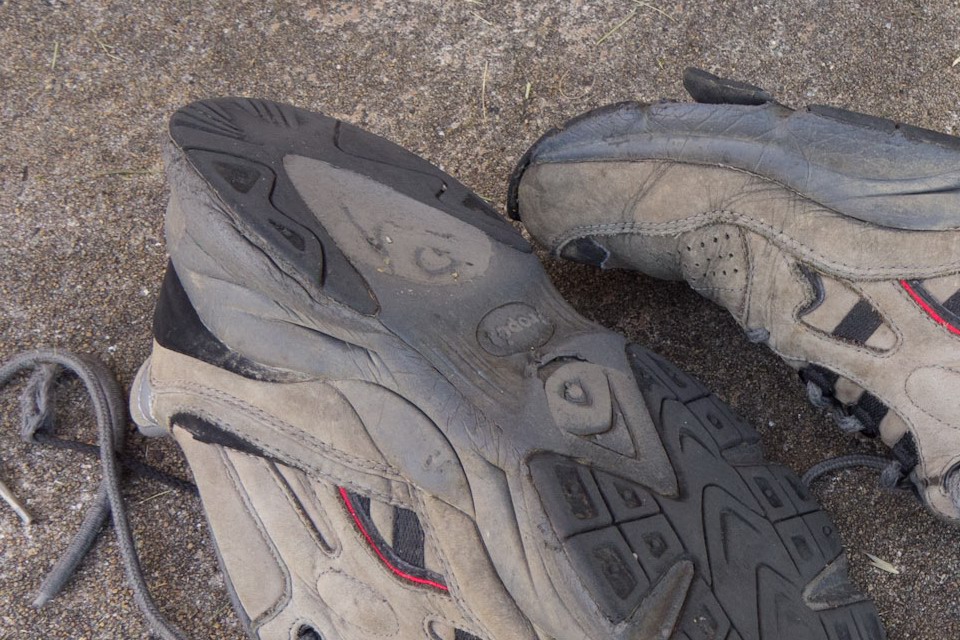
My Propét Stability Walkers after less than 5 months and considerably less than 1,000 miles, showing extensive deterioration. Click to see full res.
As you can see from these photos, the quality of these shoes is SECOND RATE! The stitching is weak, the glue is poor, the laces are rubbish and the soles wear quickly and tear easily. These are NOT shoes that you can happily walk in for a thousand miles over a range of terrain. These are shoes that you can wear around the house and down the street on weekends and throw away after a year.
It boggles my mind that amoral business executives and their equally amoral marketing lick-spittles think it is ok to blatantly LIE about their products and PRETEND that they care about their customers, when in fact their entire business strategy is built on extracting money from the gullible through deceit. This may be acceptable amongst the self interested, greedy, unprincipled element of the USA business community, (and no doubt that element is very substantial), but they ought to consider what a pathetic mess their country would be in if ALL Americans were as crooked as they.
Propét you are a disgrace!
Currently listening to:
Sun Arise by Rolf Harris